This guide will walk you through creating a mailing group so that you can repeatedly sent mail to the same group of people easily.
1) Click on the people tab in Outlook Web App (OWA) and then click new.
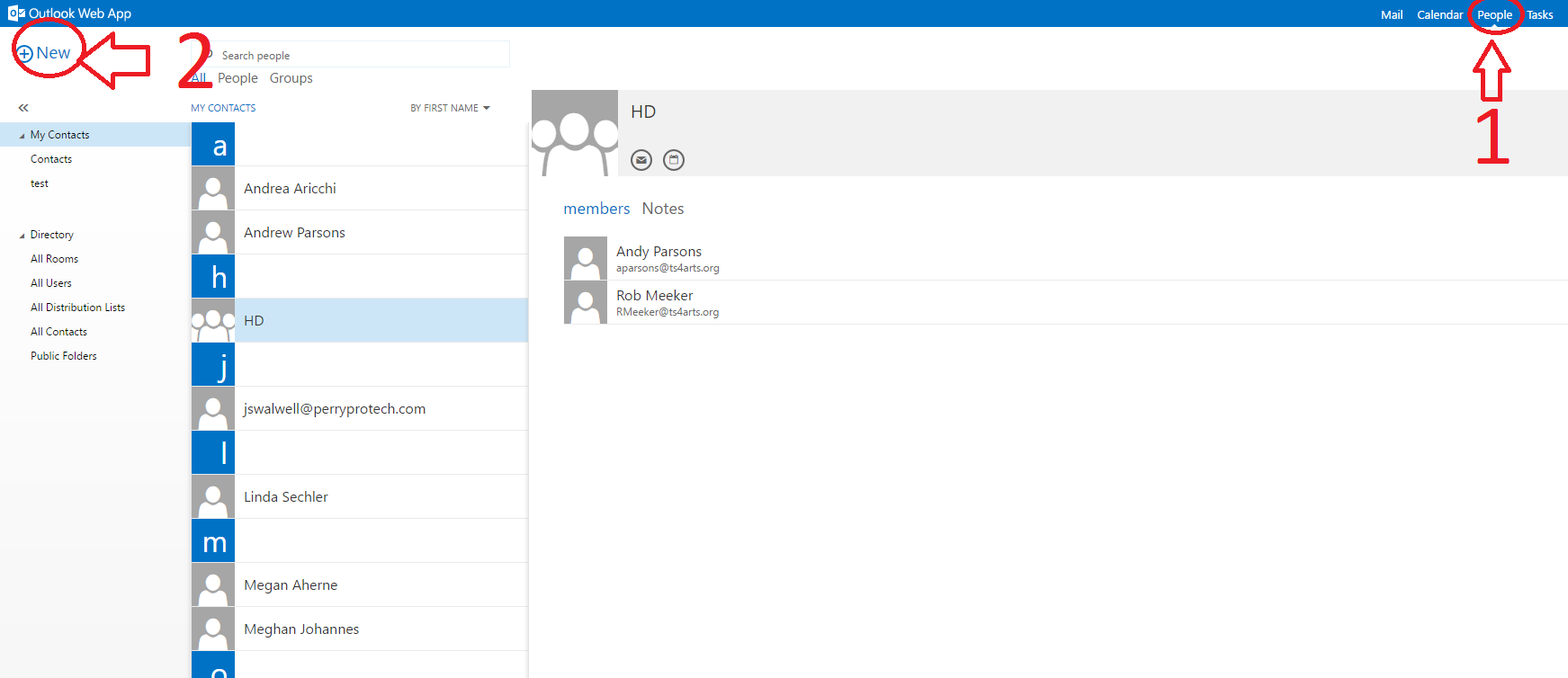
2) Click on Create Group in the popup dialog box.

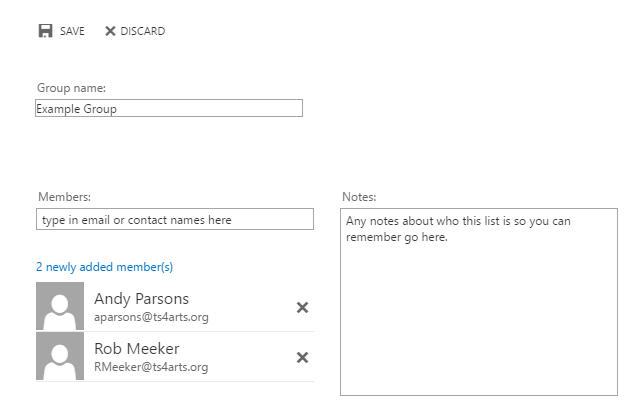
3) Enter the names of people you want in the group, a name for the group, add notes if desired, and then hit save.
0 Comments